Why school ERP pricing is hard to compare
Ask five vendors what their school ERP costs and you'll get five different answers in five different formats — per student, per module, a flat annual licence, or "contact sales." None of them are lying, but none of them are comparable either until you know what's actually bundled into that number. This guide breaks down how school ERP software is typically priced in India, what's usually included, what tends to show up as a separate line item later, and the questions that turn a vague quote into a real budget.
How school ERP software is usually priced
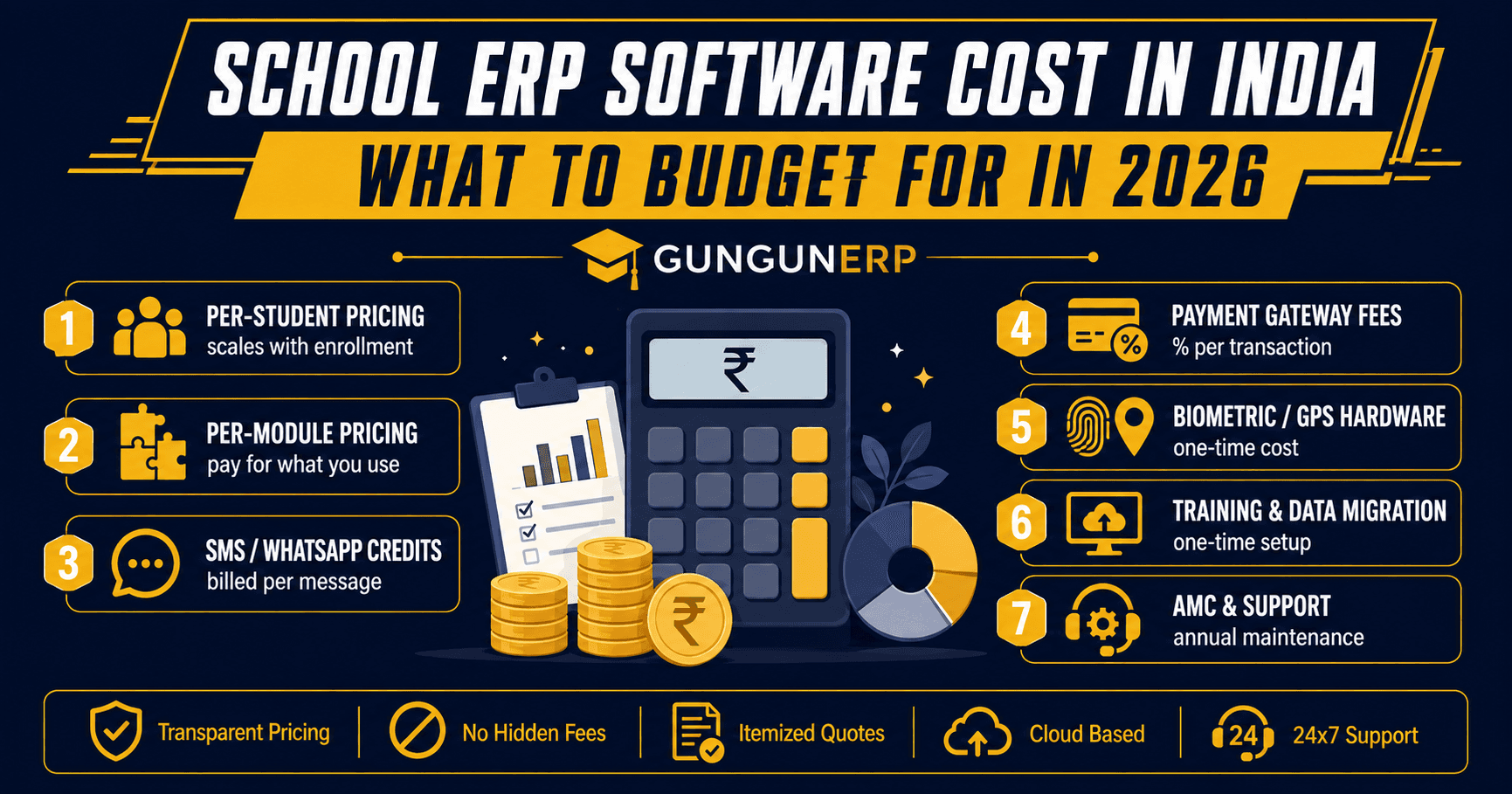
- Per-student, per-year — the most common model. The price scales with enrollment, so it stays proportionate whether you're running a 300-student school or a 3,000-student one.
- Per-module — admissions, fees, attendance, and communication priced separately, so you pay only for what you switch on. Cheaper to start, but costs can creep up as you add modules a school realizes it needs.
- Flat licence plus annual maintenance — a fixed platform fee with a recurring AMC (annual maintenance contract) for support and updates, more common with on-premise or larger institutional deployments.
None of these models is objectively "the best" one — it depends on whether your school wants predictable per-student costs, or wants to start small and add modules over time. See our school ERP page for how Gungunerp's modules are structured.
What's usually included in the base price
Most vendors bundle the core administrative modules into the base price: admissions, student records, attendance marking, fee collection, and a basic parent-teacher communication channel. Cloud hosting, routine backups, and standard support during business hours are typically included too, since the vendor needs these running regardless of school size.
What often gets billed separately
This is where budgets go wrong — not because vendors hide costs, but because schools don't ask about them upfront. Common items billed outside the base subscription:
- SMS and WhatsApp credits — circulars and fee reminders sent via SMS or WhatsApp Business API usually draw from a credit pool billed per message, not included in the flat fee.
- Payment gateway charges — a small percentage on every online fee transaction, charged by the payment gateway itself, not the ERP vendor, but still part of your real cost.
- Biometric or RFID hardware — devices for biometric attendance and RFID are usually a one-time hardware purchase separate from the software subscription.
- GPS transport tracking — bus GPS devices and their SIM/data costs are typically billed per vehicle, on top of the core ERP plan.
- HRMS and payroll — staff HR and payroll is often a separate add-on module rather than bundled by default; see what's included in a proper HRMS setup.
- Training and onboarding — some vendors include a fixed number of training sessions, others charge per session or per admin trained.
- Data migration — moving years of student and fee records out of spreadsheets or a legacy system into the new ERP is sometimes a one-time migration fee.
- Custom report card formats — matching your school's existing report card layout exactly, rather than using a template, can be a customization charge.
None of this means these costs are unreasonable — hardware and per-message credits are real costs for the vendor too. The point is to get them itemized before you sign, not discover them in month two.
One-time costs vs. recurring costs
It helps to sort every line item into one of two buckets before comparing vendors. One-time: hardware (biometric devices, GPS units), data migration, and initial customization. Recurring: the per-student or per-module subscription, SMS/WhatsApp credits, payment gateway fees, and AMC charges. A vendor that looks cheaper on the subscription line can end up costing more once you add up the one-time setup — so ask for both numbers, not just the headline price.
Questions to ask for an apples-to-apples quote
- Is this price per student, per module, or a flat fee — and what happens if our enrollment changes mid-year?
- How many SMS/WhatsApp credits are included, and what's the rate after that?
- Is biometric/RFID hardware included, or purchased separately — and from whom?
- Is the parent and teacher mobile app included in the base price?
- What does the AMC cover — bug fixes only, or new features too?
- Is there a cost to export our data if we switch vendors later?
Budgeting before you have a firm number
If you're early in the process and don't have quotes yet, budget in two lines rather than one: a per-student recurring cost for the software itself, and a separate one-time allowance for hardware and setup if your school wants biometric attendance or GPS transport tracking from day one. That structure survives contact with real vendor quotes better than a single guessed number.
Already compared features? Now compare cost
If you're still shortlisting on capability rather than price, our Top 10 Features of the Best School ERP Software guide covers what to look for module by module. Once you have a shortlist, use the questions above to get itemized quotes side by side. Explore Gungunerp's school ERP or talk to our team for a straightforward quote with no hidden line items.